

Your factory.
Your control.
LoopCraft is a process simulator in your browser: draw a plant, press Run and watch it behave like the real thing.
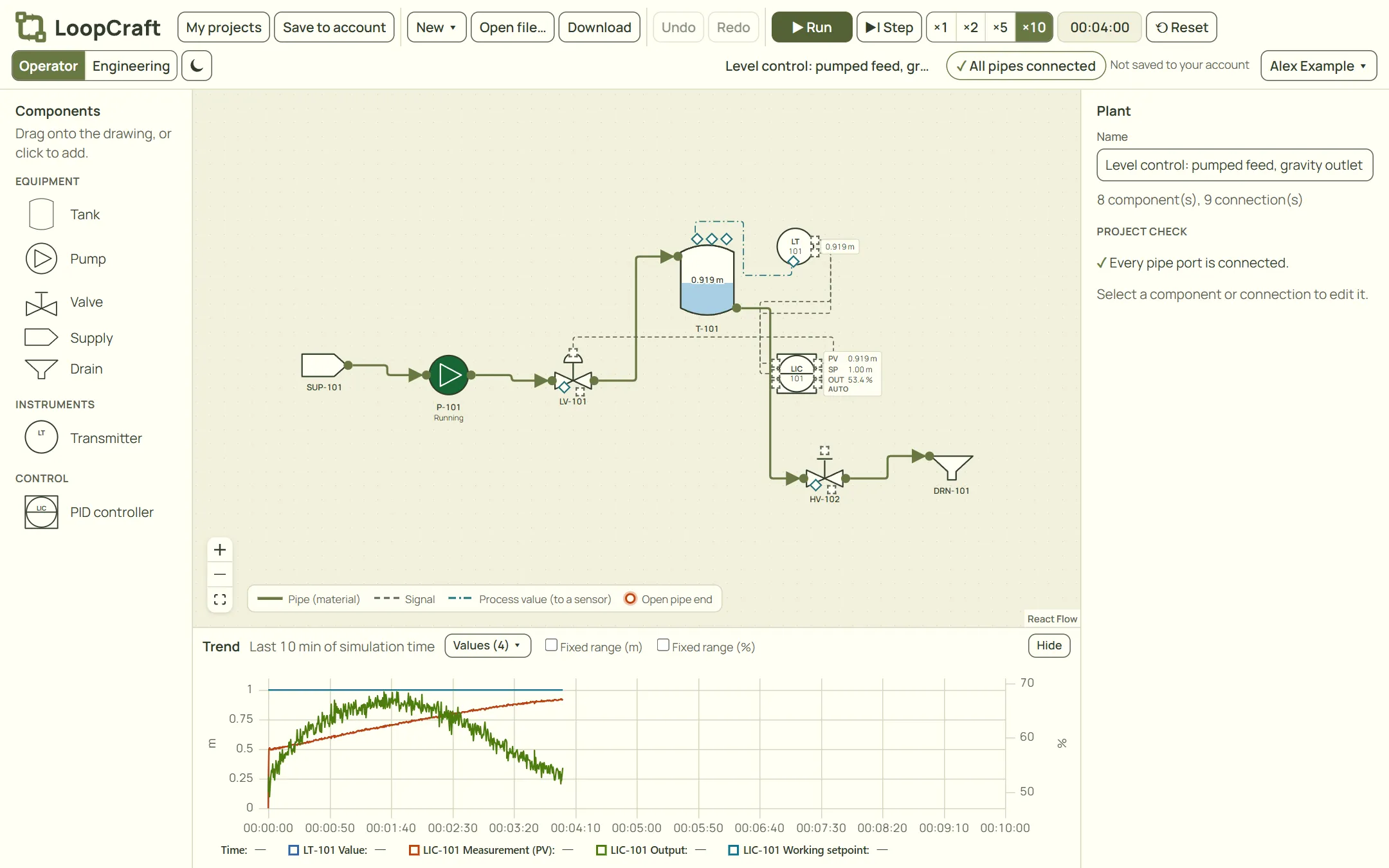
From layout to live process
- 01
Design visually
Drag tanks, pumps, valves, sensors and controllers onto the drawing and connect them with pipes and signals. Every component has the properties you would expect, in the units you choose.
- 02
Simulate dynamically
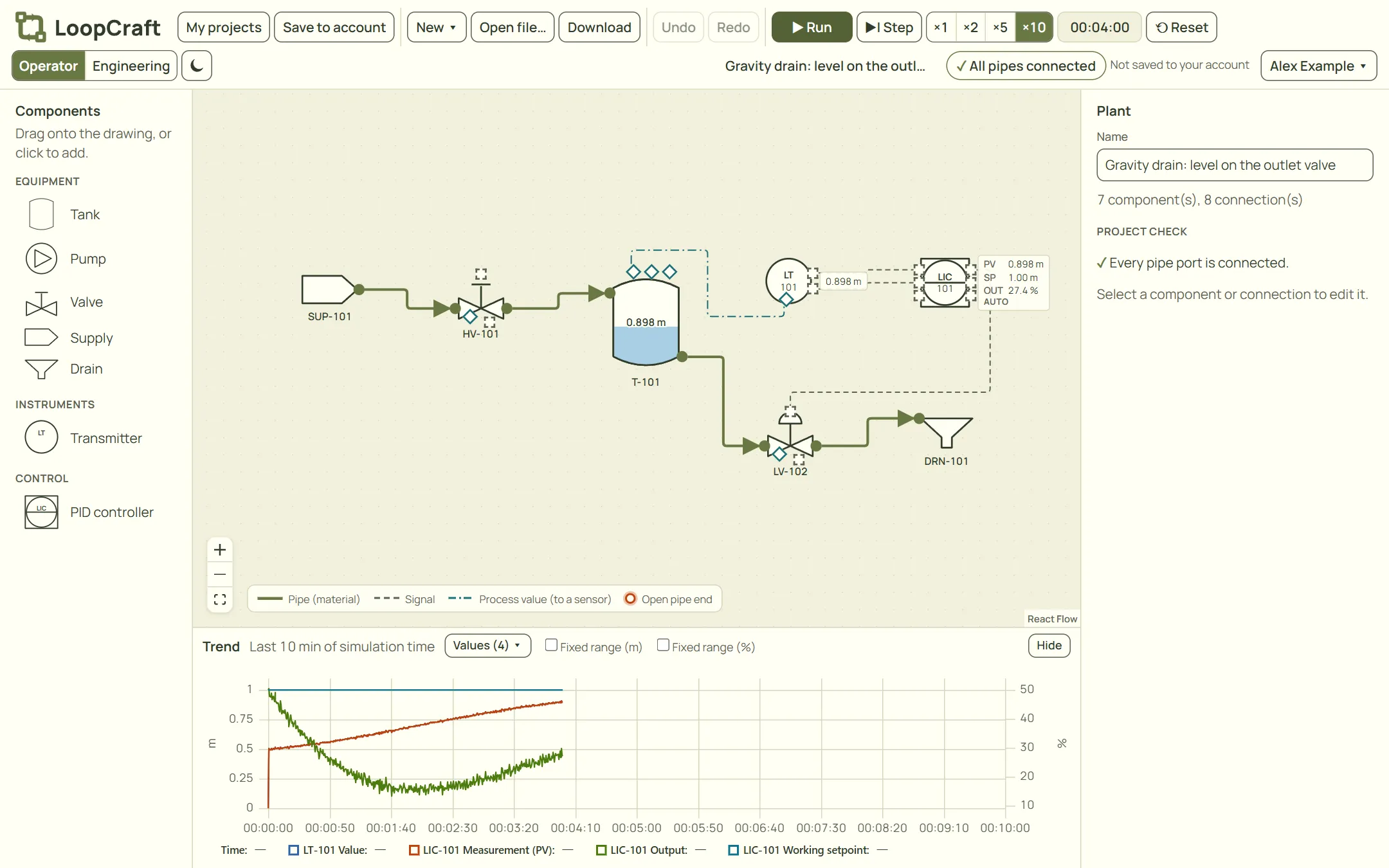
Press Run and watch levels, flows and controller outputs change over time, with a live trend. Speed it up to see a slow process in seconds, or step through it one moment at a time.
- 03
Operate with confidence
Start pumps, move valves and tune controllers from faceplates, and see the true values behind the instruments. Practise on a plant where a mistake costs nothing.
See it run
Real screenshots from the app, taken with the built-in example projects.
Take control of the process, whatever your role
A factory is hard to learn from pictures in a book. LoopCraft lets you build the factory yourself and take control of it, so the theory becomes something you have seen working. See the examples or read why LoopCraft exists.
Students
Meet a control loop before your first job. Build it, break it and see why the controller reacts the way it does.
Teachers and trainers
Give a class a plant that behaves like the real thing, without the cost of a training simulator or a pilot plant.
Operators and engineers
Try a start-up, a disturbance or a controller tuning on a model first, where a mistake costs nothing.
Questions and answers
Is LoopCraft free?
Yes. LoopCraft is free during beta, within the limits of the free plan that you see in the app. A paid plan for teams and schools will follow; see the pricing page.
Do I need to install anything?
No. LoopCraft runs in your browser. Create an account, confirm your e-mail address and start drawing.
How accurate is the simulation?
The models are simplified on purpose, so that you can see cause and effect clearly. LoopCraft is a learning and design aid, not a tool for safety decisions about a real plant.
Where is my data kept?
In the European Union, at EU providers only. We use no tracking, no third-party services and a single session cookie. Read the privacy statement for the details.
Build your first plant today
Free during beta. Create an account, open an example and press Run.